Initial Setup: Sweep&Go Core
After installing and activating the Sweep&Go Core plugin, follow these steps to connect your Sweep&Go Location(s) and complete the initial setup.
Step 1: Create a Sweep&Go Open API Developer login (If You Haven't Already) 1
- If you haven't already, you'll need to create a Sweep&Go Open API Developer login in order to connect your locations(free of charge).
- Visit the Sweep&Go Employee Portal.
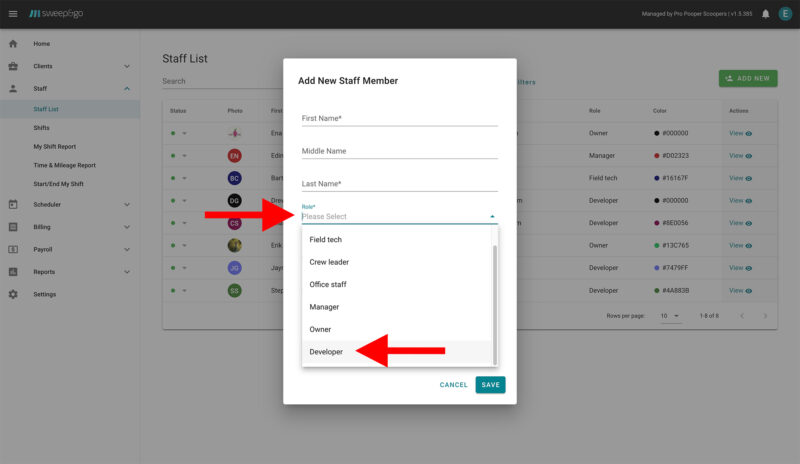
- Go to Staff -> Staff List -> Add New
- Add new staff member with a Developer role
- You will receive developer login information via email
Step 2: Access the Sweep&Go Locations Menu 2
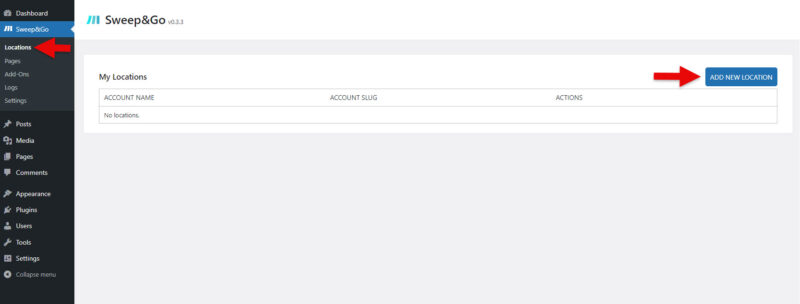
- In your WordPress admin dashboard, navigate to WP Admin > Sweep&Go Core > Locations.
- You will be directed to the Open API developer login page where you can manage and add your Sweep&Go locations.
Step 3: Add a New Location 3
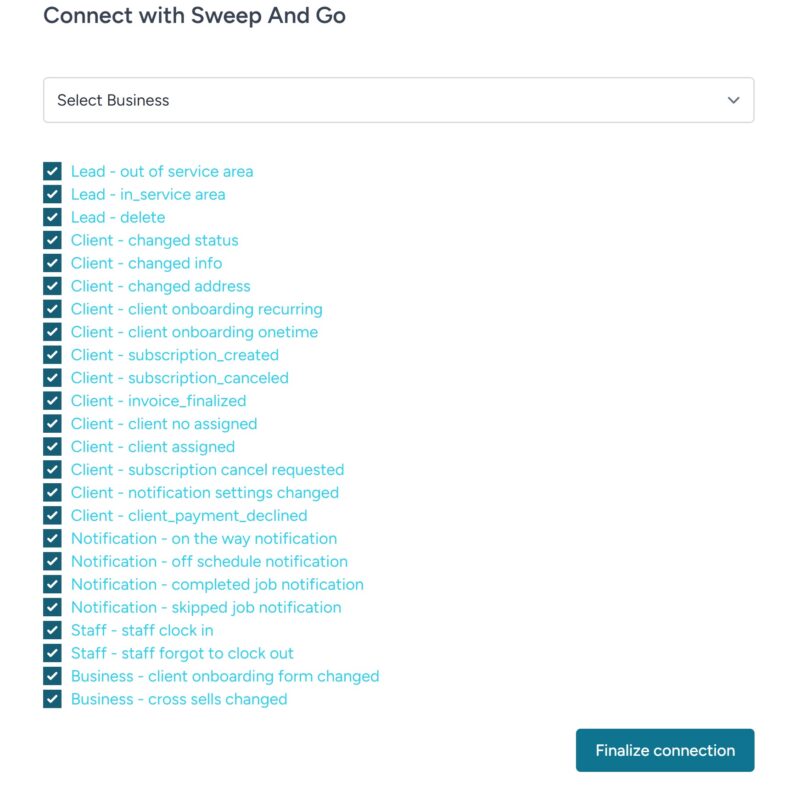
- Select location from the dropdown list
- Click “Finalize connection”.
- You'll be redirected back to Sweep&Go Core plugin on your website and your location should be connected now
- Repeat these steps if you have multiple locations